Setting Up CallCow with Zapier
Follow these steps to integrate CallCow with your lead generation workflows:1. Connect to the CallCow Zapier App
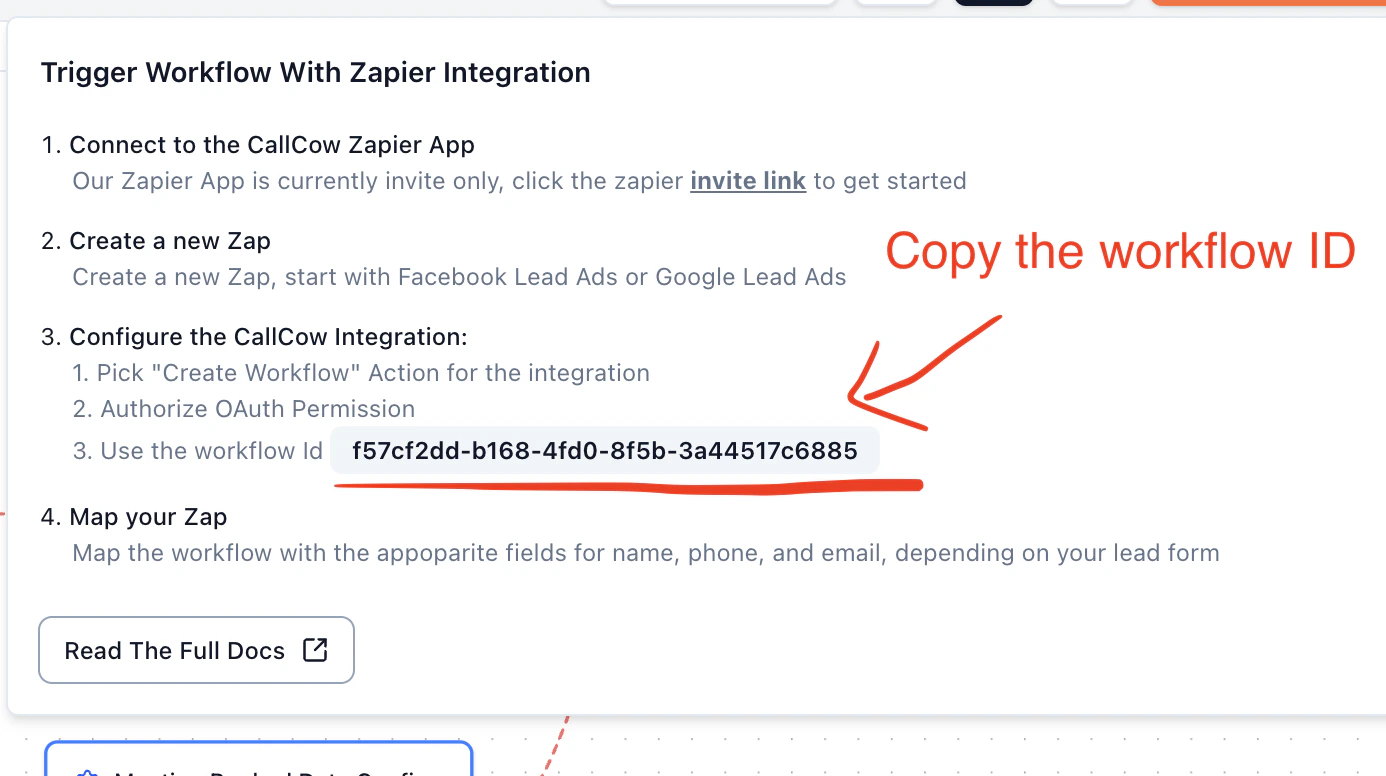
Our Zapier App is currently invite only. Click the Zapier invite link to get started.2. Create a new Zap
Create a new Zap, starting with Facebook Lead Ads or Google Lead Ads as your trigger. Or, if you have any other lead form integration, make sure it takes phone numbers3. Configure the CallCow Integration
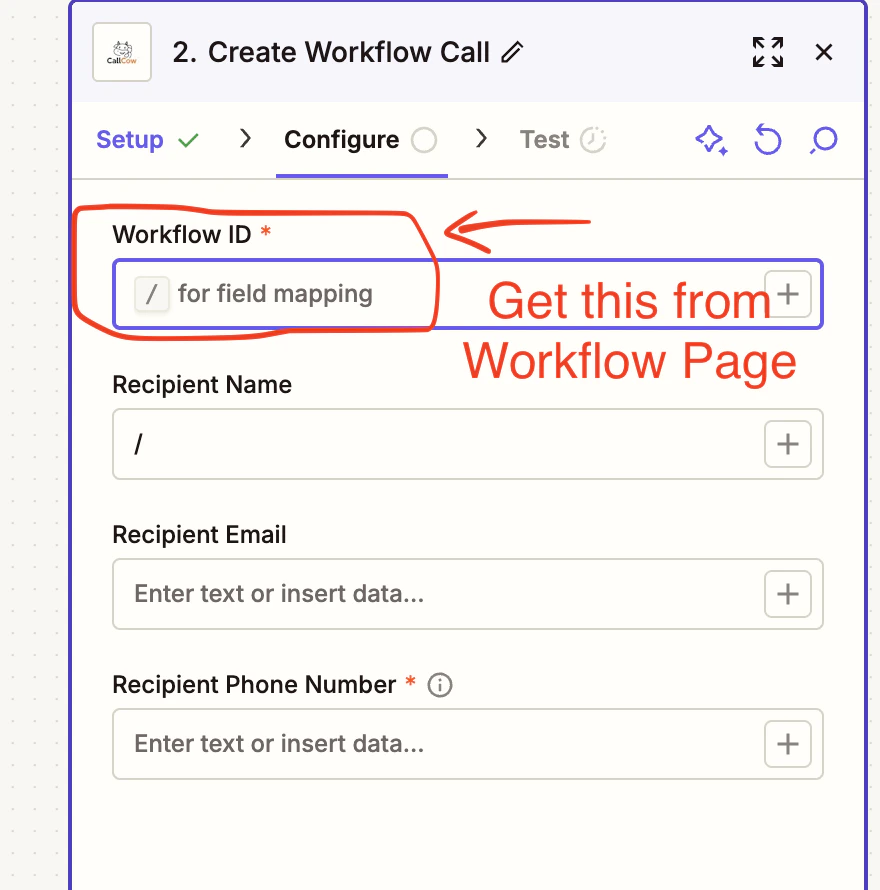
- Pick “Create Workflow” Action for the integration
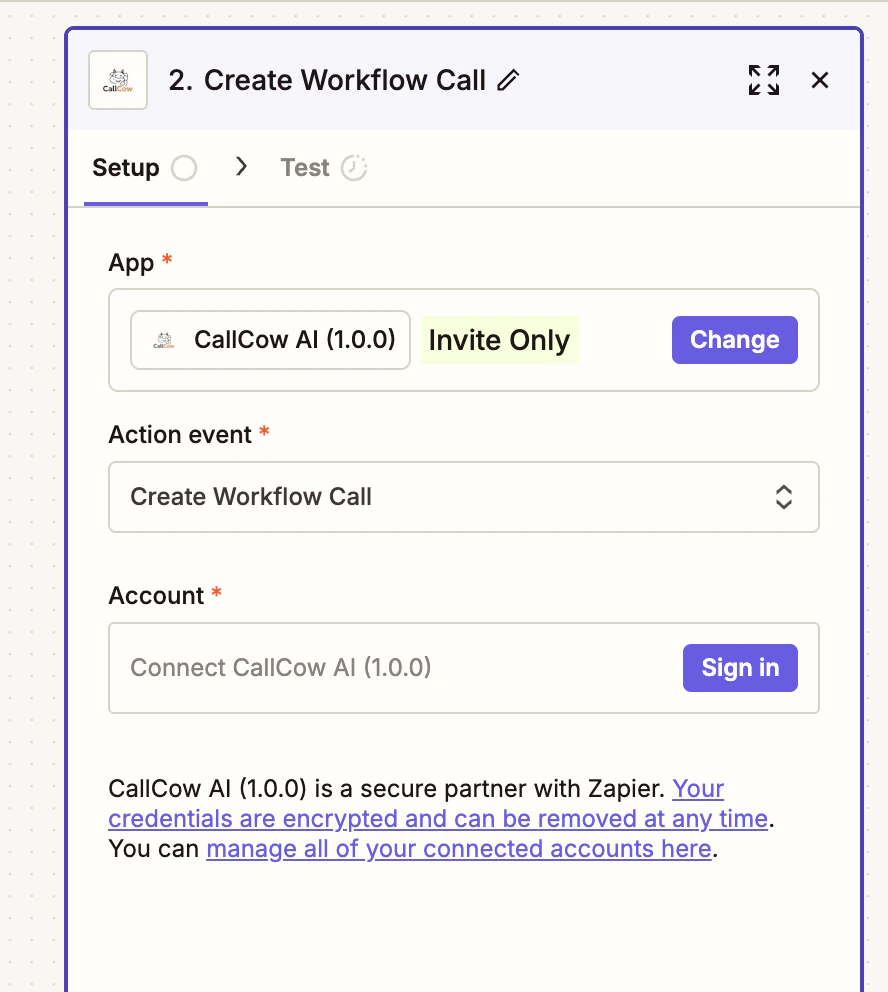
- Authorize OAuth Permission
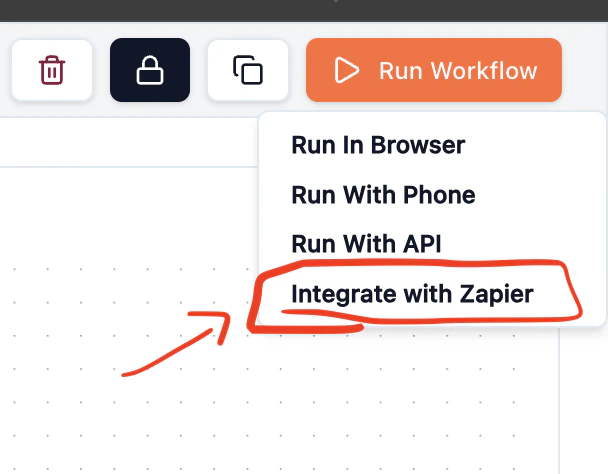
- Use your workflow ID from CallCow (found in your workflow settings)