CallCow home page
Search...
⌘K
Support
Dashboard
Dashboard
Search...
Navigation
Working With Phone Numbers
Clone Your Voice
Guides
API reference
App Dashboard
Roadmap & Feedbacks
Getting started
CallCow Documentation
Getting Started
Workflow Guides
Workflow Guide
Forms
Forms
Inbound Contacts
Inbound Contacts
Working With Phone Numbers
Phone Number Guide
Voice Mail Forwarding
Transfer To Human
Clone Your Voice
Bluk Calls
List Calling
Integration Guides
Embed Website Widget
Zapier Integration Guide
Cal.com Integration Setup
Calendly Integration Setup
TidyCal Integration Setup
Trafft Integration Setup
Monday CRM Integration Setup
Make.com
Organization Support
White Labeling
On this page
Voice Cloning
Security Considerations
Working With Phone Numbers
Clone Your Voice
Copy page
Copy page
Voice Cloning
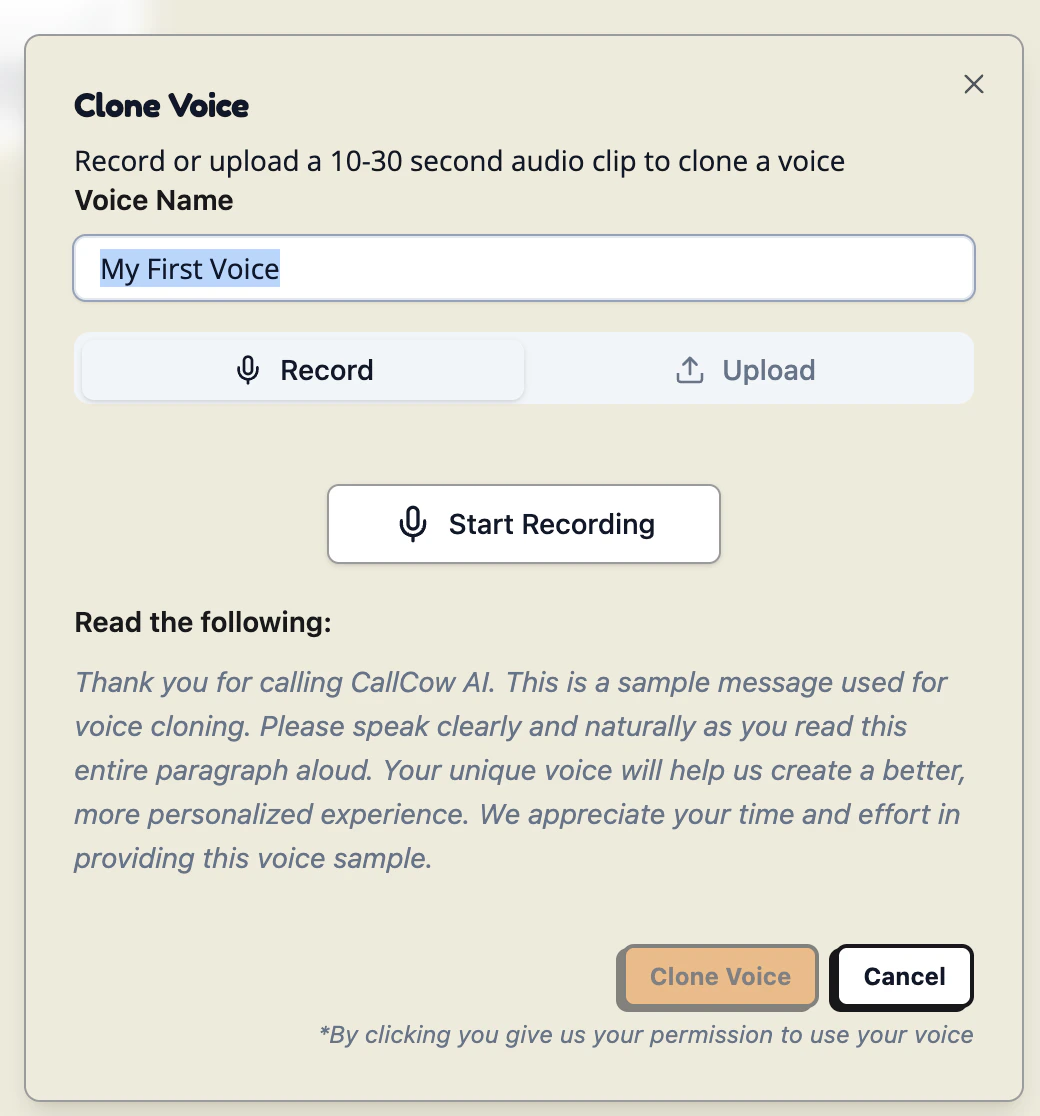
You can clone your voice in 2 easy steps:
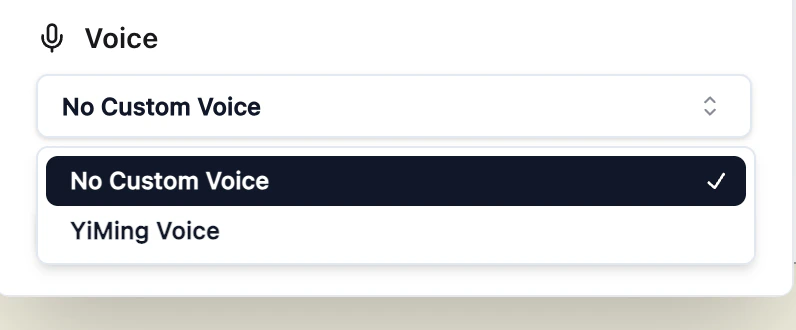
Select the voice tab in the settings page
Record a 30 second audio snippet and clone your voice!
And that’s it! You are done! You can now use your cloned voice in all workflows
Security Considerations
We do not store any audios of your actual calls, only the 30 second audio snippet will be used for voice cloning.
Transfer To Human
List Calling
⌘I