> ## Documentation Index
> Fetch the complete documentation index at: https://docs.callcow.ai/llms.txt
> Use this file to discover all available pages before exploring further.
# Zapier Integration Guide
## Setting Up CallCow with Zapier
Follow these steps to integrate CallCow with your lead generation workflows:
### 1. Connect to the CallCow Zapier App
Our Zapier App is currently invite only. Click the [**Zapier invite link**](https://zapier.com/developer/public-invite/232727/45c3209dfedcd445fe42140ec0463703/) to get started.
### 2. Create a new Zap
Create a new Zap, starting with Facebook Lead Ads or Google Lead Ads as your trigger.
Or, if you have any other lead form integration, make sure it takes phone numbers
### 3. Configure the CallCow Integration
1. Pick "Create Workflow" Action for the integration
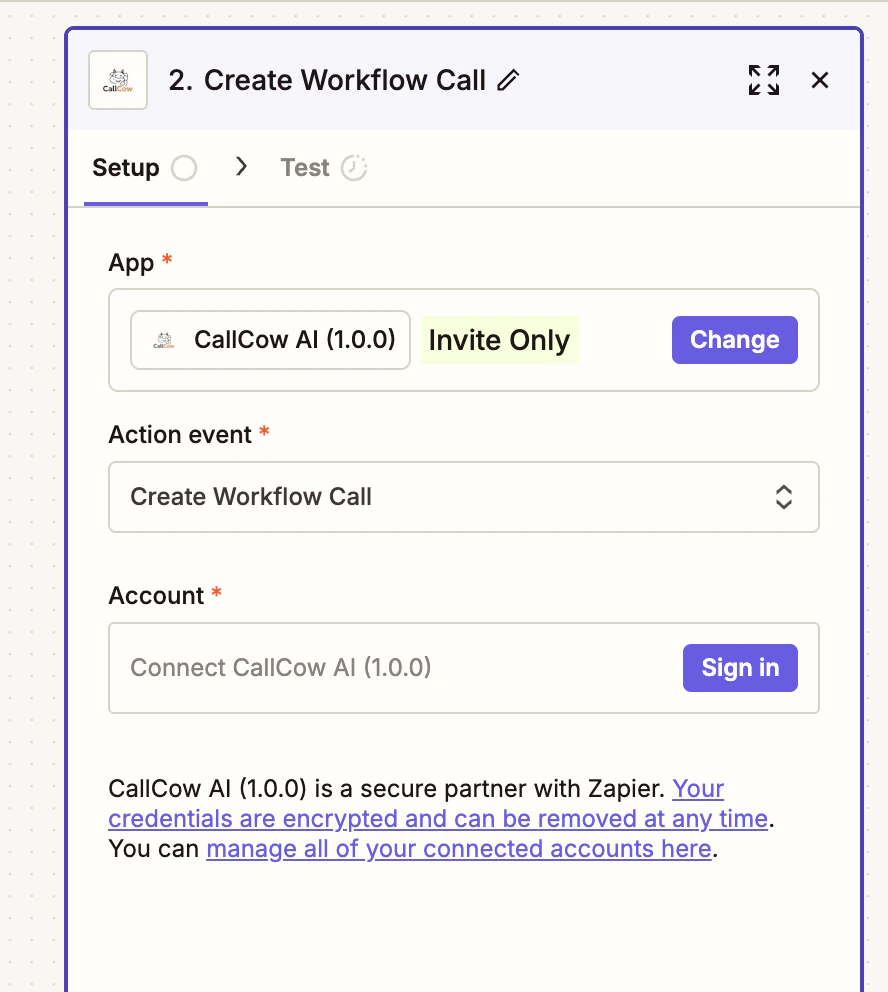 2. Authorize OAuth Permission
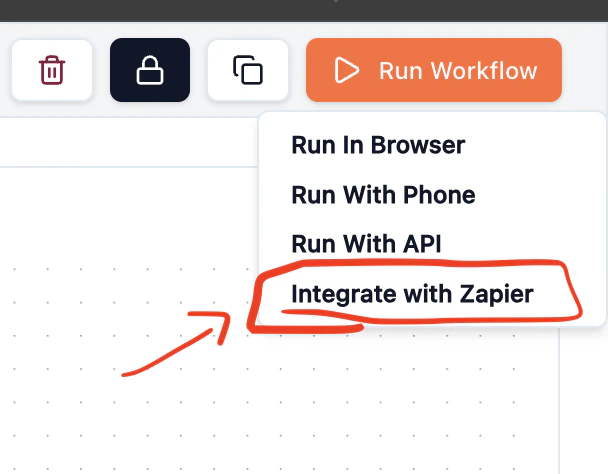
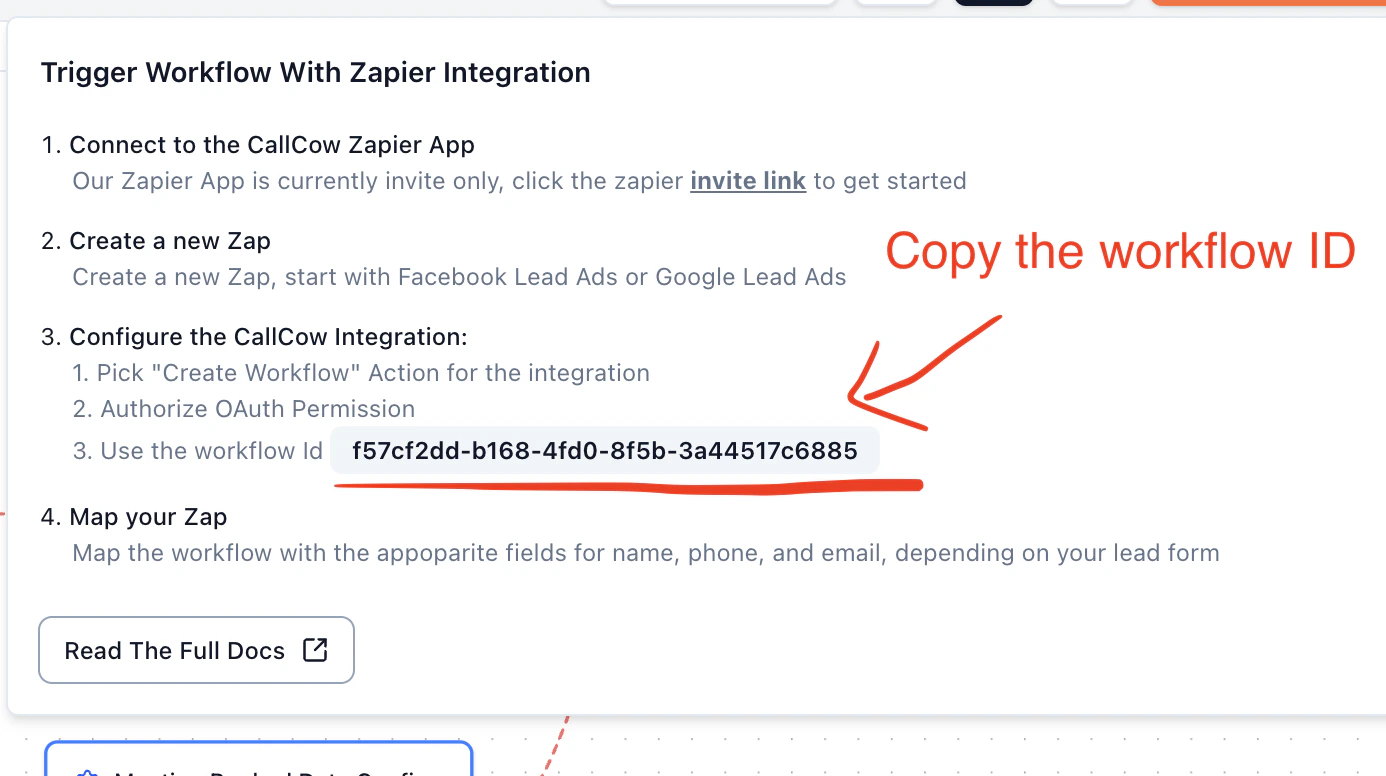
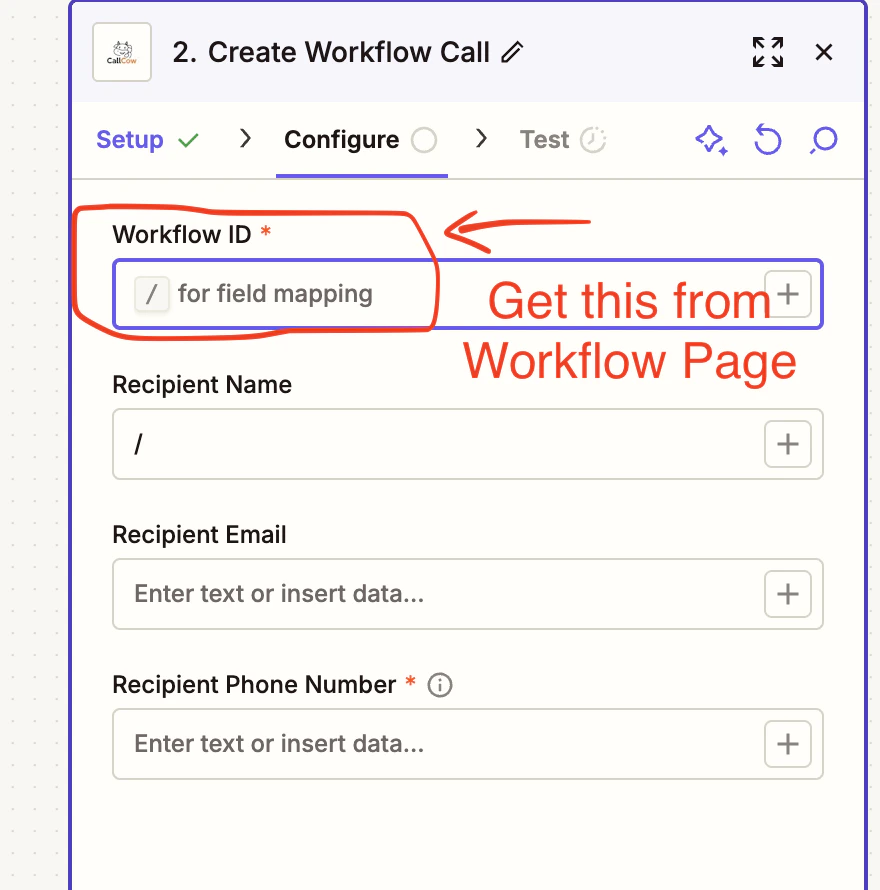
3. Use your workflow ID from CallCow (found in your workflow settings)
2. Authorize OAuth Permission
3. Use your workflow ID from CallCow (found in your workflow settings)
 ### 4. Map your Zap
Map the workflow with the appropriate fields for name, phone, and email, depending on your lead form configuration.
### 4. Map your Zap
Map the workflow with the appropriate fields for name, phone, and email, depending on your lead form configuration.